 Over $69 Free Shipping
 Stress-Free Installments
 3-5 Days Shipping Time
 18-Month Warranty
 30-Day Returns


Stone is an interesting material for laser engraving. A simple design can turn a slate coaster, marble blank, or natural rock into a personalized gift, sign, or piece of home décor. The process is different from traditional stone carving: a laser changes the surface to create a visible contrast rather than cutting deeply into the material.
The results depend on the type of stone, its surface, and the laser settings. This guide covers the materials that work well, how the process works, and the key steps to getting a clean engraving.
Can You Laser Engrave Stone?
Yes. Many natural and manufactured stones can be laser engraved, including slate, marble, granite, and some rocks. The laser primarily marks the surface, creating a lighter, frosted, or textured area that contrasts with the surrounding material.
Slate is one of the easiest materials to start with. Its dark, relatively flat surface can produce clear contrast and is well suited to coasters, signs, lettering, and simple artwork. Marble is another good option for decorative projects, while granite and irregular rocks usually require more testing because their surfaces vary more.
Which Stone Is Best for Laser Engraving?
There is no single stone that works best for every project. For beginners, a flat, dark-colored stone is usually the easiest place to start because it is simple to position and offers good visual contrast.
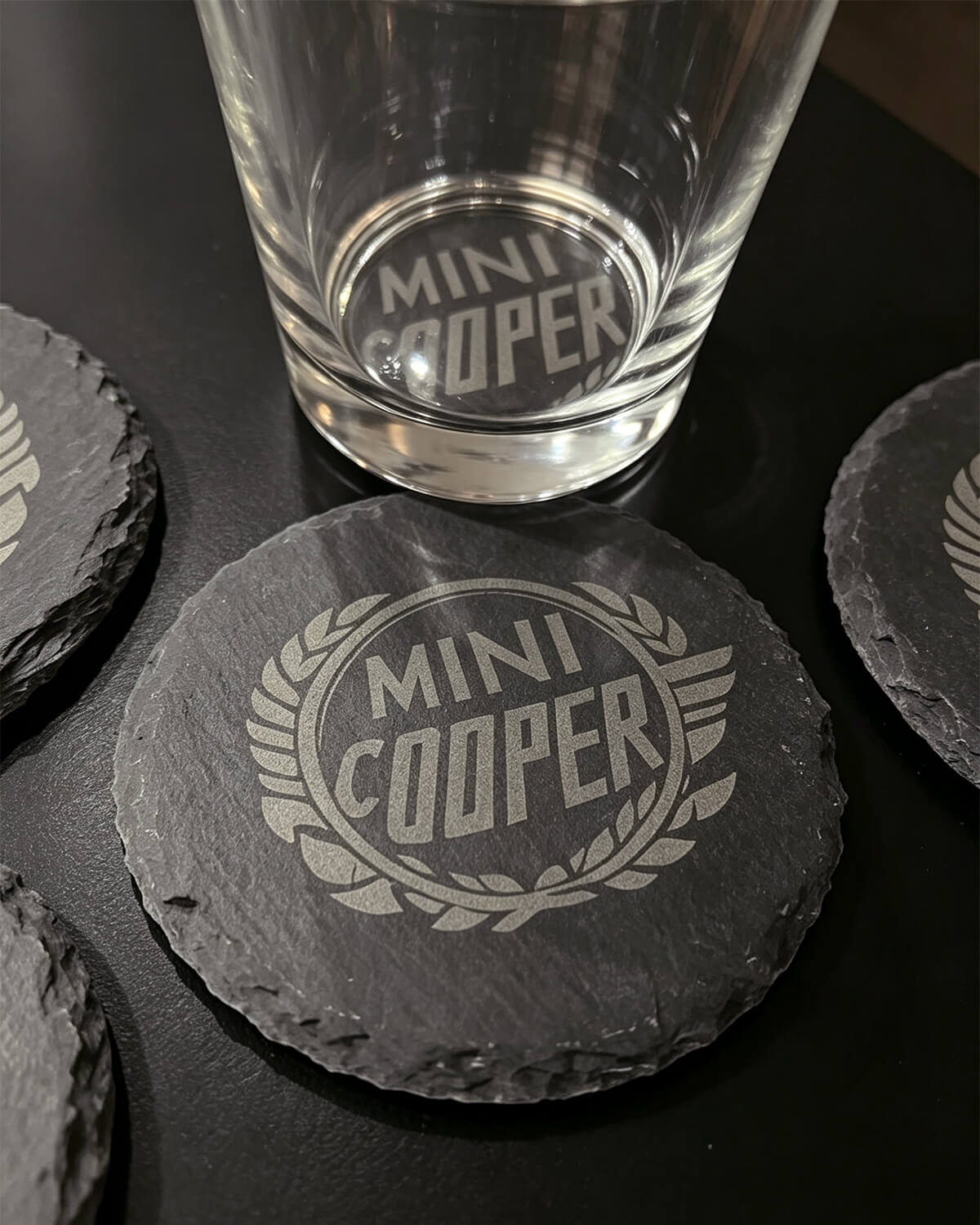
Slate
Slate is a popular choice for coasters, plaques, signs, and personalized gifts. Its relatively even surface makes focusing straightforward, while its dark color can make the engraving stand out clearly.
Marble
Marble has a more decorative appearance and works particularly well for personalized home décor. Natural veining means that every piece can look slightly different, which is part of its appeal.
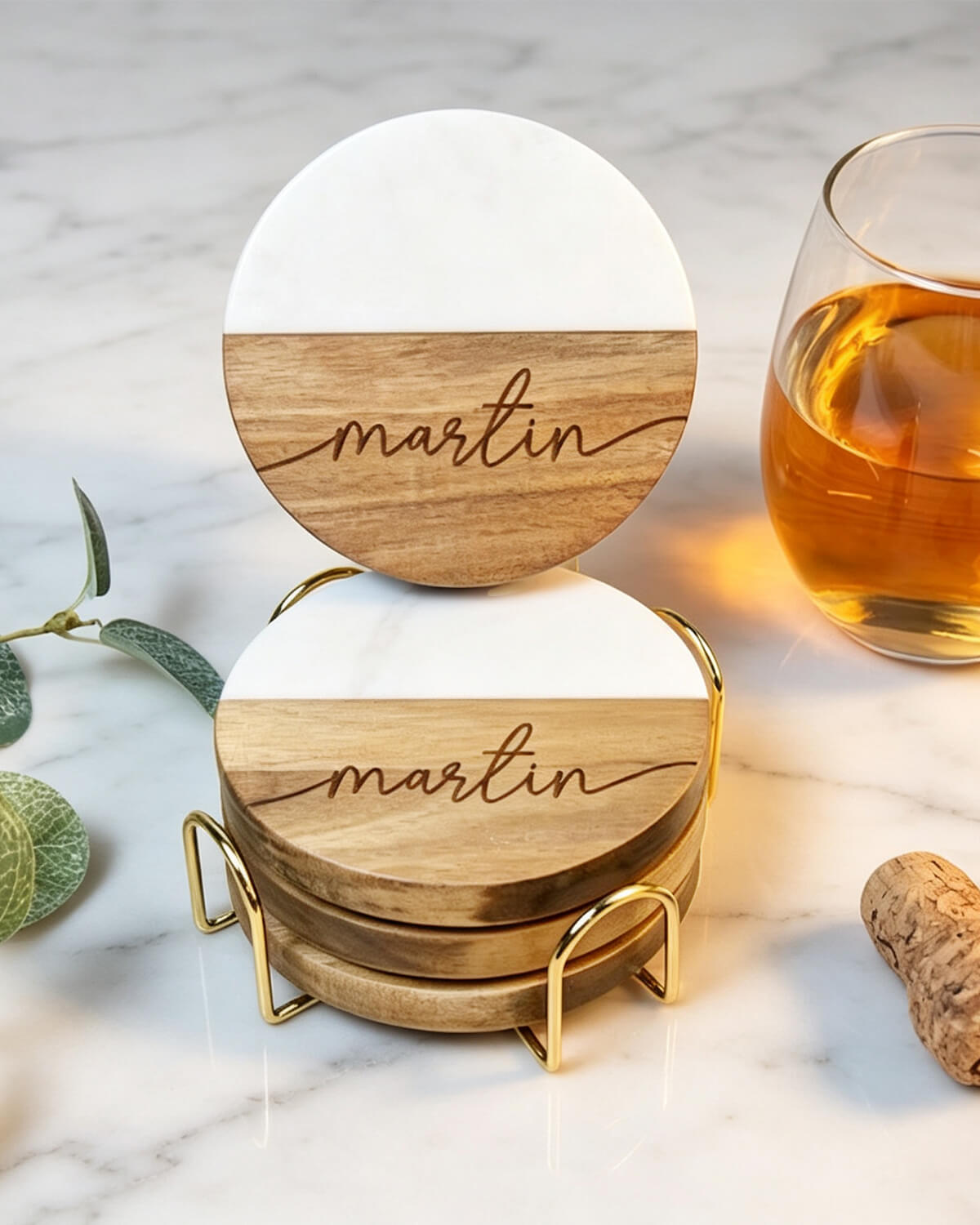
ARTILUME offers blank black marble coasters designed for laser engraving, suitable for names, logos, monograms, and artwork.
Explore ARTILUME Black Marble Coasters
Granite and Natural Rocks
Granite and naturally shaped rocks can also be engraved, but their density, texture, and uneven surfaces can make the result less predictable. Curved rocks also require more attention to focus because the engraving surface is not at a consistent height.
Can a Diode Laser Engrave Stone?
Yes. A diode laser can engrave many stone surfaces when the goal is surface marking rather than deep carving. ARTILUME laser engravers support stone among their compatible materials, making them suitable for projects such as slate coasters, marble décor, and engraved rocks.
Explore ARTILUME Laser Engraving Machines
Keep in mind that engraving and cutting are different processes. A laser that can mark the surface of stone is not necessarily capable of cutting through a stone slab.
How Does Laser Stone Engraving Work?
A focused laser follows the digital design across the surface of the stone. Instead of removing a large amount of material, it changes the surface to create a visible mark.
Because stone varies naturally in color, texture, and composition, the same settings can produce different results on different pieces. That is why testing is an important part of the process, especially when working with an unfamiliar material.
See Laser Stone Engraving in Action
Here's a closer look at a stone engraving project in progress.
How to Laser Engrave Stone
Once you have a suitable stone and laser engraver, the process is straightforward. The goal is to keep the material stable, maintain proper focus, and test the result before committing to the final piece.
- Clean the surface. Remove dust, dirt, and loose particles, then let the stone dry completely.
- Secure the stone. Place it on a stable surface so it cannot move during engraving.
- Prepare your design. Bold lettering, clean line art, and high-contrast graphics are generally easier to reproduce than very fine details.
- Focus the laser. Proper focus is essential for sharp edges and readable details. Flat surfaces are easier to work with than curved rocks.
- Run a small test. Test an inconspicuous area or spare piece of the same material before engraving the final design.
- Engrave the design. Once the test produces the desired contrast, run the final engraving without moving the material.
- Clean the finished piece. Remove loose residue from the surface to reveal the final engraving.

Laser Settings for Stone Engraving
There is no universal setting for stone. Power and speed need to be adjusted according to the laser module, stone type, surface finish, and design.
Rather than relying on a preset, use a small test pattern to find the level of contrast you want. If the engraving is too light, check the focus first and then make gradual adjustments to the engraving parameters. Keeping a record of successful settings can also save time when working with the same material again.
What Can You Make With Engraved Stone?
Stone works particularly well for projects where the material itself is part of the finished design. Some common applications include:
- Personalized stone and slate coasters
- Signs and plaques
- House and garden markers
- Names, monograms, and family gifts
- Memorial keepsakes
- Decorative rocks and artwork
- Custom home décor
- Small-business logos and branded products
Tips for Better Results
Start with a flat, consistent stone rather than an irregular rock. It makes positioning and focusing much easier while you learn how the material responds.
Keep the first design simple. Strong lettering and clean artwork are easier to evaluate than highly detailed images, especially on textured stone.
Most importantly, test before starting the final piece. Natural stone can vary even between pieces that look similar, so a successful setting should be treated as a starting point rather than a universal formula.
Frequently Asked Questions
Can you laser engrave stone?
Yes. Slate, marble, granite, and some natural rocks can be laser engraved. Results vary depending on the material and surface.
What is the best stone for laser engraving?
Flat, dark-colored slate is a practical starting point for beginners because it is easy to position and can produce good contrast.
Can you laser engrave slate?
Yes. Slate is well suited to coasters, signs, plaques, and personalized gifts.
Can you laser engrave marble?
Yes. Marble can produce an attractive decorative finish, although natural color and veining can affect the final appearance.
Can you laser engrave rocks?
Yes, but irregular rocks require more attention to focus. A relatively flat engraving area will produce more consistent results.
Why is my stone engraving too light?
Check the laser focus first, then test adjustments to power and speed. The color and texture of the stone can also affect the amount of visible contrast.
Final Thoughts
Stone is a rewarding material to experiment with once you understand how its surface affects the engraving process. Slate is a good place to start, while marble, granite, and natural rocks offer more opportunities to experiment with texture and form.
Keep the material stable, focus carefully, test before the final engraving, and adjust your settings based on the actual stone in front of you. With those basics in place, a laser engraver can turn simple stone blanks into personalized gifts, décor, signs, and small-batch products.
Subscribe for Prime Perks!
Sign up now to get your coupons and alerts for our livestream and flash sales.


